
Cutting-edge BIM software for structural engineers: Model, analyze, and design buildings fast and accurately. Automate RC, steel, and composite designs in a central model to speed up delivery.
Discover More

Integrated BIM modeling, analysis, design, and detailing software trusted by structural engineers across 120+ countries. From foundations to steel connections — one platform.

Structural Engineering Software & Beyond
ProtaStructure Suite — A Complete Solution for Every Structure
Cutting-edge BIM software for structural engineers: Model, analyze, and design buildings fast and accurately. Automate RC, steel, and composite designs in a central model to speed up delivery.
Discover More
All-in-one steel detailing & connection design software for engineers & drafters. Automate designs and efficiently create top-quality detail drawings.
Discover More
Revolutionize structural detailing with CAD software that automates the creation of concrete drawings with a single click. Extract from ProtaStructure and auto-arrange on sheets, saving hours of work.
Discover More
Elevate your building projects with our upgraded BIM integration tools. Streamlined model sharing and flawless coordination with bi-directional links.
Discover MoreCustomer Support
Every ProtaStructure license includes dedicated expert support. Response within 16 business hours, every time.
Submit a TicketLatest Release
Special Offers
Enterprise Licensing
Equipping a team of three or more engineers? Get the full ProtaStructure Suite at volume pricing built for your office. The more licenses you add, the more you save.
Contact Sales →Migration Offer
Moving from another structural software? We make the transition simple with special pricing and hands-on support to get your team up and running fast.
Talk to Our Team →Rental Plans
Choose the rental term that fits your project. ProtaStructure is available in 3, 6, and 12-month options, so you can scale up for a short-term project or commit long-term with confidence.
View Plans →Trusted by Engineering Leaders Worldwide
Structural engineers in 120+ countries prefer PROTA SOFTWARE
for structural analysis and design.


Why Engineers Choose Prota
ProtaStructure delivers a complete integrated workflow — from BIM model authoring to code-compliant design and automated detailing — trusted by engineers across 120+ countries on projects of every scale.
Testimonials
ProtaStructure Suite is indispensable for my work as an independent engineer, especially with reinforced concrete (RC) building projects. Several key features have significantly enhanced my workflow.

A few years ago, I noticed that my engineers needed to learn a range of different software in order to model and design a single project, especially when considering Reinforced Concrete and Foundation Design. This wasn't particularly productive and meant that I had to support a range of different software applications.

Prota Engineering's engineering and BIM teams used ProtaStructure throughout the entire Istanbul New Airport Terminal Building design phases in order to produce fast and safe models which also minimizes human errors.

My journey with Prota Software began through a recommendation from a long-time colleague, Duško Dimitrijevic. After exploring the capabilities of ProtaStructure Suite, I was impressed with what it had to offer. Testing the software quickly revealed that it could meet all my needs, especially in terms of ease of modeling and output results, which are critical for our main product.

ProtaStructure Suite has noticeably enhanced both the speed and accuracy of our structural design workflow. Its integrated 3D modeling and parametric reinforcement tools allow us to deliver more coherent, precise, and well-coordinated projects, ultimately improving our overall engineering efficiency.

ProtaStructure Suite has greatly enhanced my professional capabilities with its flexibility in modeling, calculations, and detailed checks. It empowers me to push the boundaries of structural design and confidently tackle complex, innovative projects. Thanks to ProtaStructure, I'm setting new standards in structural engineering, and I highly recommend it to professionals seeking excellence.

ProtaStructure Suite, its exceptional flexibility in modeling, calculation, and detailed checks has significantly enhanced my professional capabilities, enabling me to push the boundaries of structural design in complex and innovative projects, and setting new standards in the field of structural engineering.

It fulfils all the local authorities' requirements including the design codes for both British Standards and Eurocode. It also incorporates automated seismic design and wind loading and provides efficient design especially with accurate load distribution which reduces the design cost compared to other software.

ProtaStructure has significantly reduced design errors during information transfer (between analysis, design, and detailing) and has helped expedite work with its modeling and design speed. ProtaStructure is a total solution.

ProtaStructure has significantly reduced design errors during information transfer (between analysis, design, and detailing) and has helped expedite work with its modeling and design speed. ProtaStructure is a total solution.

Switching between different software programs to complete a project can be time-consuming and frustrating, especially when trying to meet multiple deadlines and client requirements. ProtaStructure Suite allows me to complete all stages of a project, from modeling to detailing, in one place. This was a huge advantage, so I became a licensed user immediately.

ProtaStructure Suite is indispensable for my work as an independent engineer, especially with reinforced concrete (RC) building projects. Several key features have significantly enhanced my workflow.
A few years ago, I noticed that my engineers needed to learn a range of different software in order to model and design a single project, especially when considering Reinforced Concrete and Foundation Design. This wasn't particularly productive and meant that I had to support a range of different software applications.
Prota Engineering's engineering and BIM teams used ProtaStructure throughout the entire Istanbul New Airport Terminal Building design phases in order to produce fast and safe models which also minimizes human errors.
My journey with Prota Software began through a recommendation from a long-time colleague, Duško Dimitrijevic. After exploring the capabilities of ProtaStructure Suite, I was impressed with what it had to offer. Testing the software quickly revealed that it could meet all my needs, especially in terms of ease of modeling and output results, which are critical for our main product.
ProtaStructure Suite has noticeably enhanced both the speed and accuracy of our structural design workflow. Its integrated 3D modeling and parametric reinforcement tools allow us to deliver more coherent, precise, and well-coordinated projects, ultimately improving our overall engineering efficiency.
ProtaStructure Suite has greatly enhanced my professional capabilities with its flexibility in modeling, calculations, and detailed checks. It empowers me to push the boundaries of structural design and confidently tackle complex, innovative projects. Thanks to ProtaStructure, I'm setting new standards in structural engineering, and I highly recommend it to professionals seeking excellence.
ProtaStructure Suite, its exceptional flexibility in modeling, calculation, and detailed checks has significantly enhanced my professional capabilities, enabling me to push the boundaries of structural design in complex and innovative projects, and setting new standards in the field of structural engineering.
It fulfils all the local authorities' requirements including the design codes for both British Standards and Eurocode. It also incorporates automated seismic design and wind loading and provides efficient design especially with accurate load distribution which reduces the design cost compared to other software.
ProtaStructure has significantly reduced design errors during information transfer (between analysis, design, and detailing) and has helped expedite work with its modeling and design speed. ProtaStructure is a total solution.
ProtaStructure has significantly reduced design errors during information transfer (between analysis, design, and detailing) and has helped expedite work with its modeling and design speed. ProtaStructure is a total solution.
Switching between different software programs to complete a project can be time-consuming and frustrating, especially when trying to meet multiple deadlines and client requirements. ProtaStructure Suite allows me to complete all stages of a project, from modeling to detailing, in one place. This was a huge advantage, so I became a licensed user immediately.
ProtaStructure Suite is indispensable for my work as an independent engineer, especially with reinforced concrete (RC) building projects. Several key features have significantly enhanced my workflow.
A few years ago, I noticed that my engineers needed to learn a range of different software in order to model and design a single project, especially when considering Reinforced Concrete and Foundation Design. This wasn't particularly productive and meant that I had to support a range of different software applications.
International Coverage
Prota Software supports the broadest set of national and international structural design standards available in any commercial package — kept current with every annual release. Work in any country, under any code, with full transparency in all calculations.
View Full Code ListDesign reinforced concrete beams, columns, slabs, and footings to ACI 318 (2008–2019), Eurocode 2 with national annexes, BS 8110, CP 65, IS 456, TS 500, NSR-10, SNI 2847, NTE 060, NSCP, and Hong Kong code — covering markets across the US, Europe, Asia, and Latin America.
View Supported FeaturesRun code-compliant seismic analysis and design to Eurocode 8, ASCE 7 / IBC, UBC, Turkey's TBDY 2018, IS 1893, SNI 1726, NSR-10, NTE 030, NSCP, P100, and DPT — with automated seismic loads, irregularity checks, and response spectrum and pushover analysis.
View Supported FeaturesDesign steel members and composite sections to AISC 360 (ASD & LRFD), Eurocode 3 and Eurocode 4 with national annexes, BS 5950, IS 800, TSC 2018, and NBR 8800 — with capacity checks, stability analysis, and automated detailing through ProtaSteel.
View Supported FeaturesGenerate gravity, wind, and snow loads to Eurocode 1, ASCE 7 (2010–2022), BS 6399, IS 875, TS 498, NBR 8681, MS 1553, and DPT — applied automatically to the structural model with full national annex support.
View Supported FeaturesIntegrated Modeling, Analysis, Design, Detailing & BIM
Prota Software's fully integrated engine delivers engineering-grade reliability across the complete structural design workflow — from rapid concept modeling through code-compliant design to production-ready documentation. Every tool, every code, every discipline in one environment.
Modelling
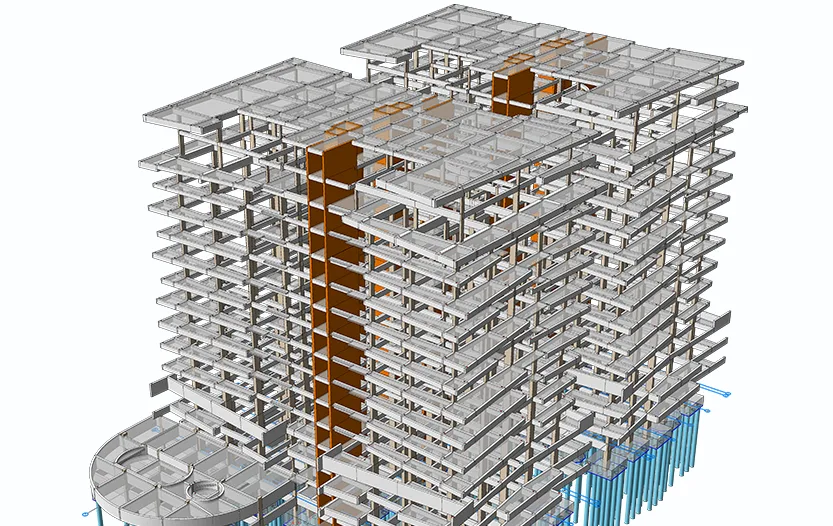
ProtaStructure provides structural engineers with a BIM-focused approach for efficient, fast, and intuitive physical modeling, incorporating RC, steel, and composite elements in a unified modeling using comprehensive localized templates & object libraries.
Analysis
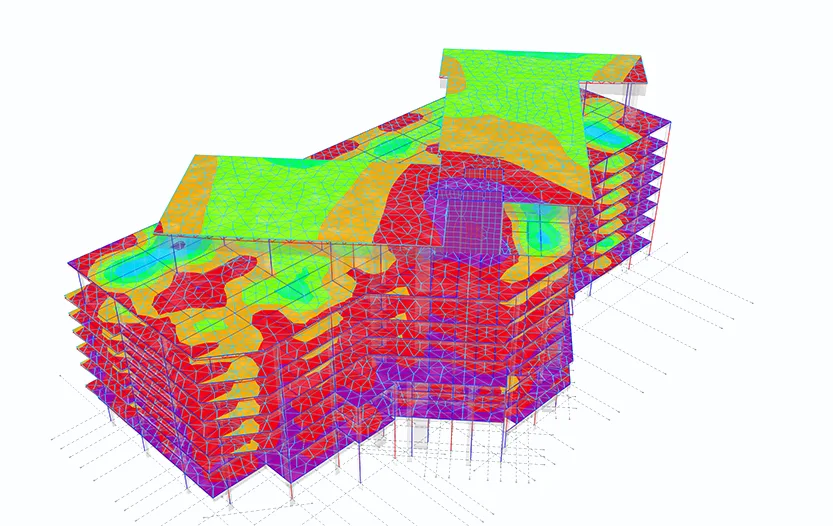
Prota Software delivers a wide range of structural FE analysis tools, from static, dynamic to complex techniques like nonlinear static, multi-mode pushover, time history, construction stage and P-Delta analysis. Our expert software ensure safe design for all types of projects, from industrial to residential buildings.
Design
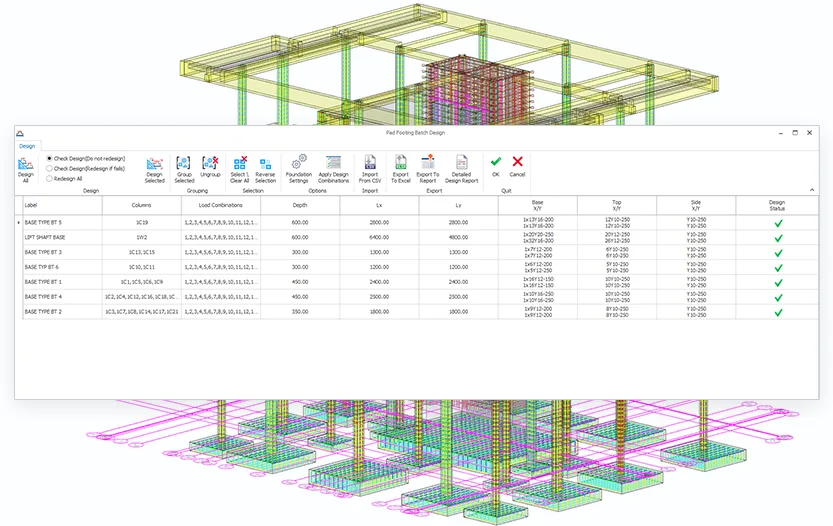
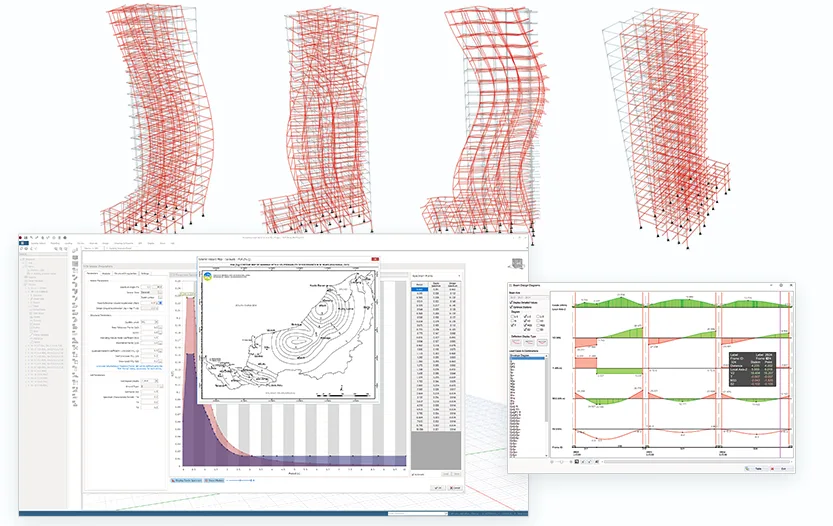
ProtaStructure equips structural engineers with advanced tools for efficient, cost-effective design of earthquake-resistant structures, meeting stringent seismic codes like US, Eurocodes, and more. Key features include auto seismic load calculations, enhanced diaphragm choices, automated irregularity assessments, retrofitting capabilities, and nonlinear base isolators for superior safety and compliance.
Seismic
ProtaStructure offers engineers tools for quick, economical earthquake-safe designs, adhering to seismic standards like US, Eurocodes and more. Key features include auto seismic load calculations, enhanced diaphragm choices, automated irregularity assessments, retrofitting capabilities, and nonlinear base isolators for superior safety and compliance.
Detailing
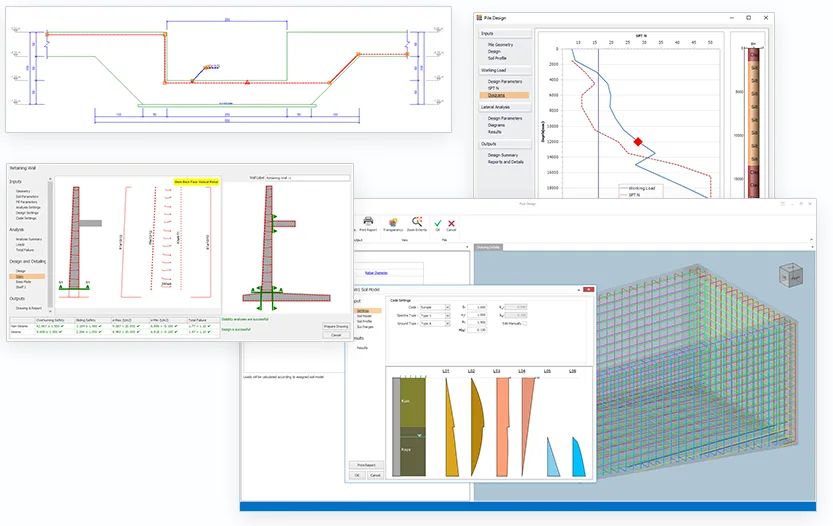
ProtaStructure Suite provides a revolutionary workflow for automatically creating and organizing all your structural concrete and steel detail drawings only with a single click. You can save hours of drafting time by seamlessly extracting structural design, draft, and draw details from ProtaStructure and automatically arrange them onto your company drawing sheets with dynamic quantity tables and material lists.
BIM
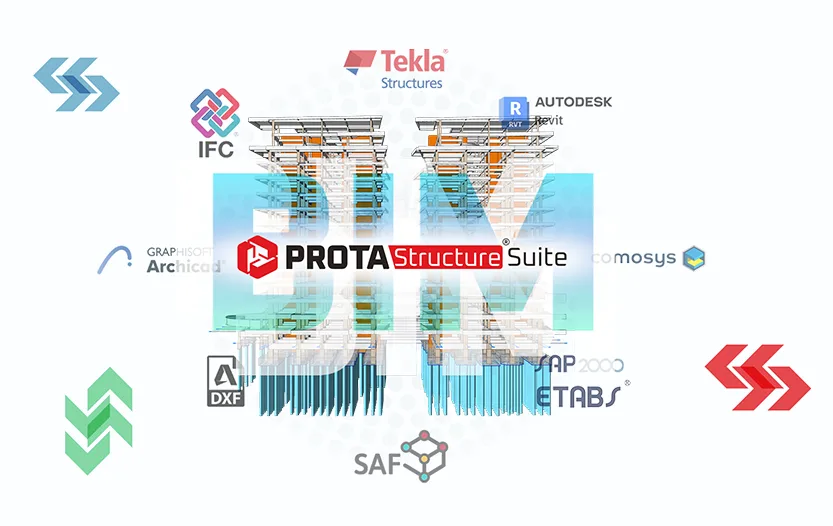
ProtaStructure is natively designed with structural BIM in mind, using intelligent physical objects to drive modeling, design, coordination and documentation. Our software features bespoke and Open BIM integrations, such as bi-directional links with Revit, IFC, DXF, SAF for seamless model synchronization, change tracking, improved project coordination and efficiency.
Interoperability
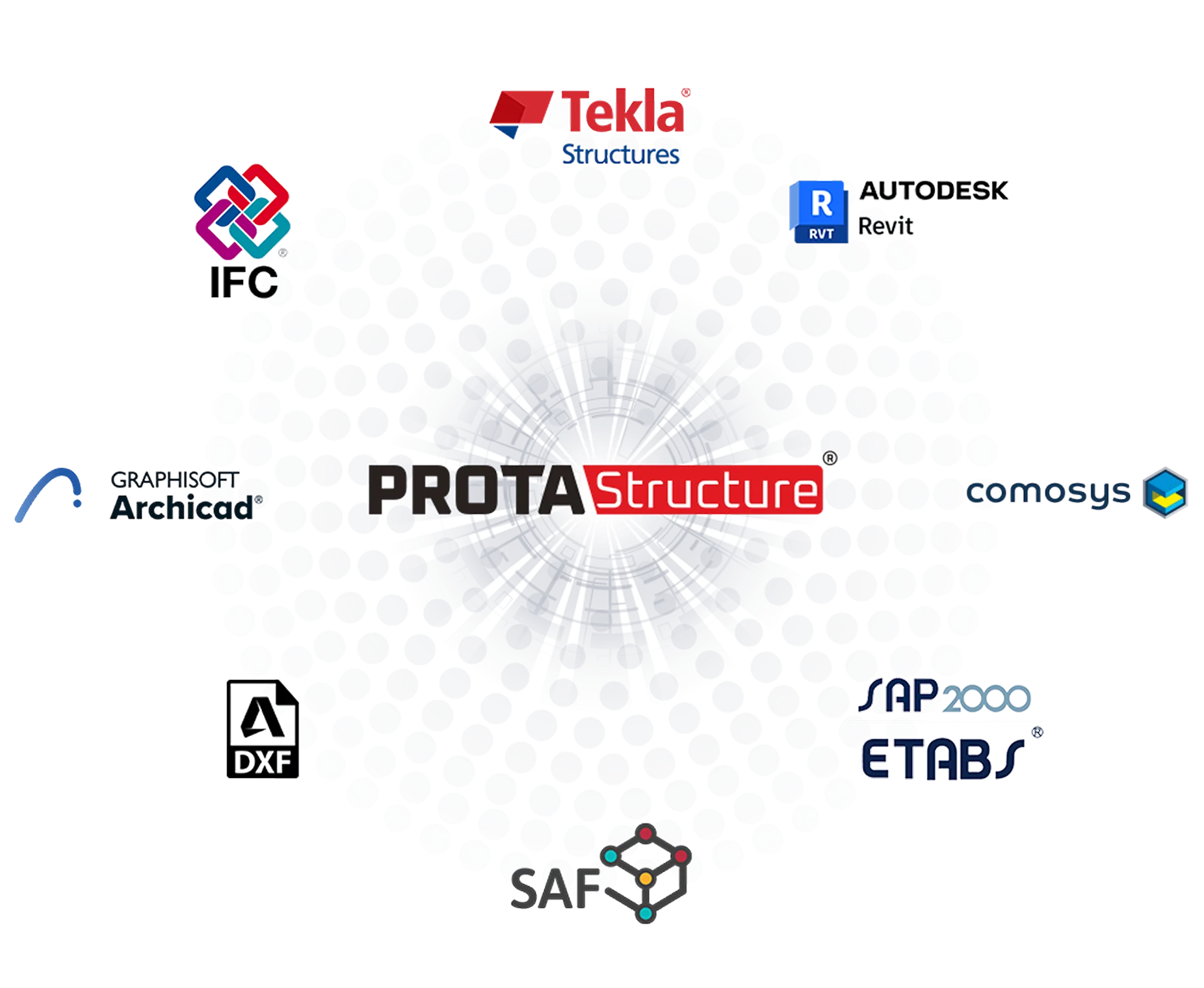
Synchronize structural models across leading BIM platforms in real time — eliminating data loss and coordination errors on every project.
Import and export IFC 2x3/4, 2D/3D DXF, and SAF files. Work within any project workflow without format lock-in or data conversion overhead.
Instantly identify model changes with intelligent color coding and push notifications — so your team always acts on the latest structural data.
Latest Updates
We’re thrilled to announce ProtaStructure Suite 2027! Specifically, this release marks a major leap forward in structural BIM software. From brand-new cold-formed steel design to…
Prota Software is pleased to announce the latest ProtaStructure 2026 update, released on August 19, 2026. Specifically, this version (v9.0.565) delivers 163 enhancements spanning new features, workflow improvements, design…
ProtaStructure v9.0.445 delivers the most comprehensive structural analysis software improvement in 2026 to date. Specifically, this release targets RC column design, seismic analysis, reinforcement detailing,…
Prota Software will exhibit at Steel Construction Expo Mumbai 2026 (SCEXPO Mumbai 2026), held from October 27 to 29, 2026 at the Jio World Convention…
Prota Software and AppliCAD Public Company Limited are pleased to announce the ProtaStructure 2027 launch eventin Bangkok. Specifically, this exclusive in-person event will take place on October…
Prota Software recently participated in one of Latin America’s most important construction and engineering events. Specifically, we joined ExpoCAMACOL 2026, held from August 26 to 29, 2026 at…
Steel Design and Detailing with ProtaStructure Suite 2026: From Analysis to Fabrication in One Workflow In steel projects, true efficiency does not come from faster…
Elevate Your Structural Design Skills with ProtaStructure Suite Private Training Sets To accelerate structural design workflows and reduce project errors, engineers need to master the…
Frequently Asked Questions
ProtaStructure Suite is an advanced structural BIM software solution developed by Prota Software for structural engineers. It provides an integrated environment for the modeling, analysis, design, and detailing of concrete and steel buildings.
The suite includes powerful tools for structural analysis, reinforced concrete design, steel design, detailing, and BIM collaboration. ProtaStructure helps engineers efficiently deliver both simple and complex structural projects with greater accuracy and coordination.
The primary users of ProtaStructure, along with Prota Software's broader range of technology solutions, include structural engineering firms, design offices, consulting engineering companies, engineering students, and universities.
ProtaStructure can be used to design many types of building structures, including:
Yes. ProtaStructure is designed to handle both small projects and complex multi-story buildings. Its powerful analysis engine allows engineers to work efficiently on large structural models.
ProtaStructure supports a wide range of international design and seismic codes used across Europe, Asia, the US, and Latin America, including but not limited to ACI, AISC, Eurocodes, IBC, UBC, Turkish codes, Indonesian codes, Philippine codes, Indian codes, Colombian codes, Peruvian codes, and Dominican Republic codes.
The software allows engineers to design in accordance with local building regulations.
Explore the design code coverage of ProtaStructure Suite on this page:
Yes. ProtaStructure Suite is built around a BIM-based workflow, allowing structural engineers to work with a single integrated model for analysis, design, and detailing.
This approach helps improve coordination, reduce duplication, and support more efficient project delivery.
You can purchase ProtaStructure by submitting the Contact Sales Team form on the website. After submission, you will be connected with the official Prota Software office or an authorized reseller in your region.
Please note that Prota Software can only be sold by official Prota Software offices and authorized resellers.
ProtaStructure Suite is available with two licensing options to suit different user needs: the Perpetual (Lifetime) License and the Rental Subscription License.
Perpetual (Lifetime) License: With a Perpetual License, you make a one-time payment and gain permanent access to the version of ProtaStructure you purchased.
Rental Subscription License: The Rental License provides flexible access to the latest version of ProtaStructure through periodic payments.
You can learn more about the Perpetual and Rental licensing options here:
You can upgrade your license package at any time. If you choose the ProtaStructure Suite Professional Package, you can upgrade to the ProtaStructure Enterprise Package at any time.
Just fill out the Contact Sales Team online form to get in touch with Prota Software's sales team and request an upgrade offer.
Once you submit the form, you will be connected with the Prota Software office or an authorized reseller in your region.
Yes. Prota Software offers discounts on yearly subscriptions and perpetual licenses, and occasionally runs special promotional campaigns.
You can contact the sales team to learn about current promotions and offers.
Yes. You can access video tutorials, technical articles, basic training guides, and learning resources through the Prota Help Center and the Getting Started page.
We also offer paid training programs through the On-Demand Online Training page. After purchasing a training course, you can watch the lessons at any time and revisit them whenever needed.
In addition, webinars and live training sessions are organized regularly to help users further develop their skills.
The Maintenance Subscription is designed to ensure that your investment in ProtaStructure Suite continues to deliver maximum value over time. Key benefits include:
Licensed users with active maintenance receive priority and unlimited technical support.
Technical support is available through:
Yes. A 30-day free trial of ProtaStructure is available on our website, so you can explore the software's capabilities before making any investment.
You can request the trial directly through the main page of the Prota Software website.
When you launch ProtaStructure Suite, an activation screen will welcome you. Follow the steps below to activate your product:
Prota Help Center is the official online support and learning platform provided by Prota Software for users of ProtaStructure Suite and other Prota products.
It is designed to help engineers learn the software faster, solve technical issues, and get the most out of their investment.
Key Features of Prota Help Center
To run Prota Software smoothly, your system should meet the following minimum requirements:
Meeting or exceeding these requirements will help ensure a smooth and efficient experience when working with ProtaStructure Suite.
For optimal performance when working with larger and more complex projects, we recommend the following system specifications:
Meeting these specifications will help ensure smooth modeling, analysis, and visualization performance when using ProtaStructure Suite.

Engineering Excellence
Join 50,000+ structural engineers worldwide who rely on Prota Software for their most demanding projects.
The Prota wheel


