

Frame element profile editor is a tabbed dialog box which is used for setting and modifying all properties of all types of frame elements (girls, purlins, etc.).
Displaying Frame Element Profile Editor
Either double-click on the element for which you want to view/change properties or select it first and press Enter key.

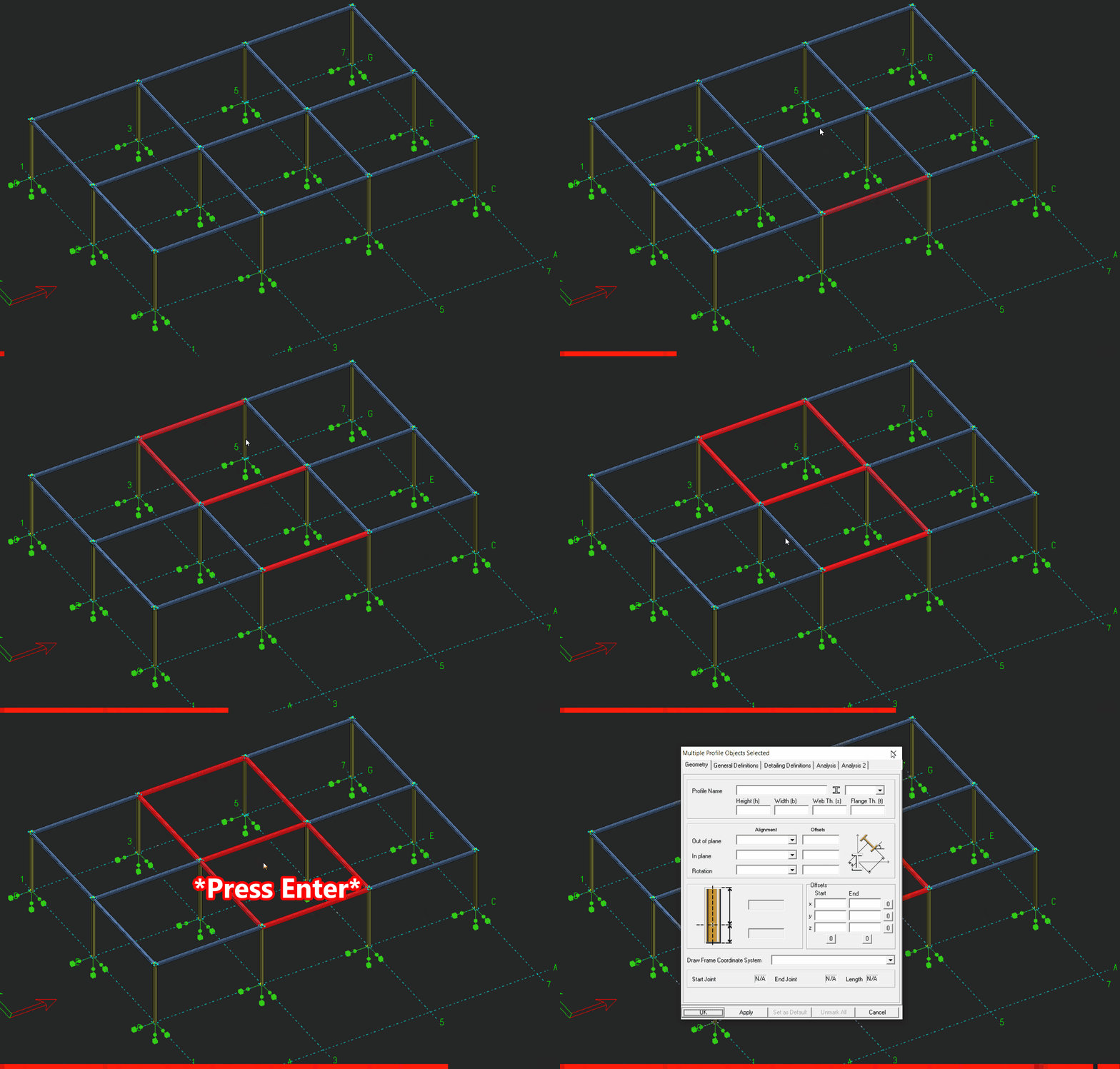
Modifying Multiple Elements Simultaneously
Select all desired elements and press Enter key.
When you open the frame element property editor the following dialog box is displayed:
All data of a frame element is categorized in to four groups which are displayed as tabs; geometry, definitions, design and analysis. For detailed explanation of these tabs click to:
Buttons

- OK button: This button applies changes to the selected element or elements and dismisses the dialog box.
- Apply button: This button applies changes to the selected element or elements but do not close the dialog box.
- Set as Default button: Copies all properties of the selected element to default element properties so that element that will be created uses these settings (Profile Name, material, orientation parameters, etc.). These settings are not saved between the sessions of ProtaSteel. In other words when you close the program and restart it, these settings are changed.
- Cancel button: Discards all changes and closes the dialog box.

When multiple elements are selected, all edit boxes, combo boxes and check boxes are displayed as empty. When data is changed its new value is displayed in the controls. This new value is applied to all selected elements.